

Rotherham Driving Test Routes
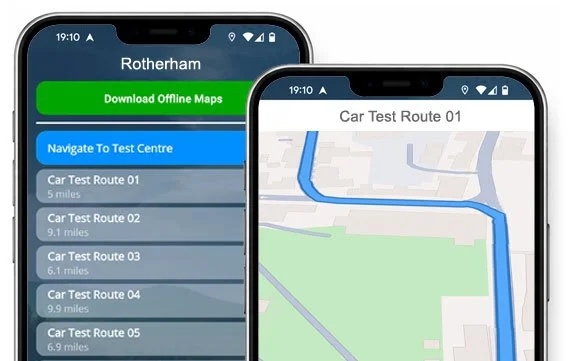
The smarter way to prepare for your driving test

START TODAY


Real routes. Updated regularly. Ready to drive right now.
Download our app and give yourself a genuine first-time pass advantage.
All Available Routes
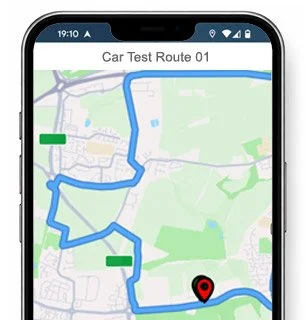
Route 1 Instructions:
- Leave the Driving Test Centre and turn left.
- On Mangham Way, turn left at the end of the road.
- At the Mangham Road roundabout, turn left.
- Greasborough Road becomes Greasborough Street.
- At the Greasborough Street roundabout, take the third exit.
- At the Centenary Way roundabout, take the second exit.
- At the next Centenary Way roundabout, turn left.
- On Sheffield Road, take the first right.
- On Old Sheffield Road, take the first right.
- On Canklow Road, take the first right then immediately turn left.
- At the Centenary Way roundabout, take the second exit.
- At the West Bawtry Road roundabout, take the first exit.
- At the traffic lights on West Bawtry Road, turn right.
- On Pleasley Road, take the first left.
- On Chaff Lane, turn left at the end of the road.
- On High Street, take the first left.
- On Cow Rakes Lane, take the third right.
- On Park Avenue, turn right at the end of the road.
- On Cow Rakes Lane, turn left at the end of the road.
- At the Worrygoose Lane roundabout, turn right (3rd exit).
- At the Herringthorpe Valley Road roundabout, turn left.
- Wickersley Road becomes Broom Road.
- At the Broom Road roundabout, take the second exit.
- Continue ahead at the traffic lights on Clifton Lane.
- Wharncliffe Street becomes Drummond Street.
- On Drummond Street, turn right at the end of the road.
- Continue ahead at the flyover traffic lights.
- At the Centenary Way roundabout, turn left.
- At the St Anns Road roundabout, turn right (2nd exit).
- Rawmarsh Road becomes Rotherham Road.
- At the Rotherham Road roundabout, take the second exit.
- At the next Rotherham Road roundabout, turn left.
- Tailors Lane becomes Mangham Road.
- On Mangham Road, take the fourth left.
- On Mangham Way, take the first right and return to the Driving Test Centre.
-
Leave the Driving Test Centre and turn left.
On Mangham Way, turn left at the end of the road.
At the Mangham Road roundabout, turn left.
Greasborough Road becomes Greasborough Street.
At the Greasborough Street roundabout, take the third exit.
At the Centenary Way roundabout, turn right (3rd exit).
Masbrough Street becomes Coronation Bridge.
On Coronation Bridge, take the first right.
On Kimberworth Road, take the first right.
On Devonshire Street, take the first right.
Continue ahead at the traffic lights on Kimberworth Road.
Kimberworth Road becomes Church Street then High Street.
On High Street, take the first left.
On Farm View Road, turn right at the end of the road.
On Dropping Well Road, turn left at the end of the road.
On Upper Wortley Road, take the first right.
On Oaks Lane, take the first left.
On Studmore Road, take the first right.
Continue ahead at the crossroads on Oaks Lane Service Road.
On Oaks Lane Service Road, turn right at the end of the road.
* Updated, complete route available on the app.
-
Leave the Driving Test Centre and turn left.
On Mangham Way, turn right.
Mangham Road becomes Taylors Lane.
At the Taylors Lane roundabout, turn right (4th exit).
At the Rotherham Road roundabout, take the second exit.
Rotherham Road becomes Rawmarsh Road.
At the Rawmarsh Road roundabout, take the first exit.
At the St Anns Road roundabout, take the second exit.
At the traffic lights on St Anns Road, turn right.
Continue ahead at the traffic lights on Doncaster Road.
Continue ahead at the traffic lights on Doncaster Gate.
On Wellgate, take the first right.
At the traffic lights on Mansfield Road, turn left.
At the traffic lights on Moorgate Road, turn right.
Continue ahead at the traffic lights on Alma Road.
Canklow Road becomes Old Sheffield Road.
On Old Sheffield Road, turn left at the end of the road.
At the Sheffield Road roundabout, turn right (3rd exit).
At the Centenary Way roundabout, turn left.
Masbrough Street becomes Coronation Bridge.
* Updated, complete route available on the app.
-
Leave the Driving Test Centre and turn left.
On Mangham Way, turn left at the end of the road.
At the Mangham Road roundabout, turn left.
Greasborough Road becomes Greasborough Street.
At the Greasborough Street roundabout, turn left.
At the Centenary Way roundabout, turn right (3rd exit).
On St Anns Road, turn left at the end of the road.
At the Doncaster Road mini roundabout, take the first exit.
At the Doncaster Road roundabout, turn right (3rd exit).
On Mowbray Street, turn left at the end of the road.
On Herringthorpe Valley Road, take the first right.
On Laudsdale Road, take the first right.
On Hawksworth Road, take the first right.
On Hounsfield Road, turn right at the end of the road.
On Hawksworth Road, take the first left.
On Creswick Road, turn right at the end of the road.
On Hardwick Street, turn left at the end of the road.
On Dalton Lane, turn left at the end of the road.
At the Doncaster Road roundabout, turn right (3rd exit).
Aldwarke Lane becomes Aldwarke Road.
* Updated, complete route available on the app.


Average Length: 7.8 miles
Based on 25 route variations in the app
Average Duration: 38 minutes
“Best driving test app out there! Helped me become more confident ready for my test.”

“Passed first time! Practicing the routes really helped!”
Route-Led provides Driving Test Routes for iPhone and Android devices. Download Rotherham driving test routes straight to your device. Car, Motorcycle, ADI, and LGV routes are available.
Test Routes App
As the leading test-route supplier in the UK, Route-LED supplies test-routes compatible with many modern devices including iPhone, Tomtom, Garmin, PC and Mac devices. Compared to the marketplace, the prices we charge are very low meaning you don’t have to spend lots of money to practise the test routes. Route-led will soon be adding independent driving routes to Route-LED's offering. Download 2021 Rotherham Test-Routes now!

Instructors and Learner drivers are continuously supplying Route-led with updated test route info, which means that Route-LED is the best place for driving test routes. Buying driving test routes from Route-led saves you money and improves your ability. Route-Led is the leading supplier of Rotherham test-routes in the UK. Download 2021 Rotherham Test-Routes now!

It's immaterial if you are a learner driver seeking to pass their driving test, an instructor wanting to learn the newest test-routes or an experienced driver taking the advanced, new vehicle or taxi test. Route-LED is the one-stop shop for everything you need. Being taught how to pass your driving test and the costs of insurance is usually an extremely costly process. Our driving test-routes for your test will allow you to save both money and time. Download 2021 Rotherham Driving Test Routes today!
Number one Provider of Test Routes
Customers can purchase Rotherham driving test routes for use in Google Maps. Android and iPhone users are able to load the routes on those devices too. If you own a Sat nav (e.g. TomTom) you can buy the relevant driving test routes and start practising.
With the assistance of learner drivers and Rotherham examiners who conduct tests on a daily basis on these routes, Route-LED is can develop many top quality driving test routes for iPhone, Android, Garmin and Sat nav devices.
Rotherham Driving Test-Route Formats Navigation


Android Sat-nav - Test Routes
By buying our dedicated Android app, you’ll be able to effortlessly use our test-routes. Purchase our recommended app and instantly start improving your driving skills today. Route-LED's detailed instructions will enable you to concentrate on improving your driving ability while experiencing the driving test conditions.

Tom-tom SatNav Test Routes
After 4th December, 2017, the United Kingdom driving test also requires being able to follow Sat-Nav directions. As the leading provider of Sat-Nav test-routes in the UK, we provide many driving test-routes for Tom tom and Garmin devices. For customers that want to download SatNav devices, we highly suggest the Tom Tom Start 52, pretty much because it is the top choice for the Rotherham driving test examiners.
iPhone Sat-nav - Test Routes
Route-LED makes practicing test-routes a lot simpler using an iPhone by creating test-routes specifically for iPhones. All you have to do is to either install RL’s dedicated iPhone app in the Apple app store or purchase Route-Led's iPhone file, and then install a supported 3rd party application to access the test-routes following Route-Led's step by step guide. Your iPhone can then navigate you to the Rotherham test centre, all around the test route, and finally back to the driving test centre. Whilst using Route-led's driving test-routes, you will be led securely with the voice-guided directions to Rotherham test centre.

Practise Rotherham Driving Test Routes
Whilst conducting the independent driving test, the examiner will ask the learner driver to take instructions from the SatNav device. The examiner will bring a pre-configured Tomtom Start 52 device. All you will need to do is to follow instructions from the device. The make or model of the Sat-nav device that you’ll use during your practice sessions will not matter at all. As a premier SatNav company, we provide test-routes for Tomtom, iPhone, Garmin and Android devices.You can’t utilise your own Satnav device in the Rotherham driving examination.

Route-Led provides clients with a high degree of help and support to utilise Route-led's driving test routes. You’ll get used to all the different sections of the routes to be navigated during the examination. We recommend using a skilled driving teacher as well. For extra free information on what you can do to practise for your driving test visit Driving Test Practice

During the independent driving test, the examiner will provide the learner all the necessary directions. If the student becomes confused during the journey, they will need to get confirmation on the directions from the test examiner. Learners cannot use personal satnav devices for independent driving because they give detailed voice prompts. Independent driving will check the ability of the examinee to undertake independent decisions.
Rotherham Test Centre Info
Rotherham test centre can be found at Mangham Way, Off Mangham Rd Rotherham South Yorkshire S61 4RL. There should be ramp access for disabled users but it would be best to call to confirm. There are also quite often female, male and disabled facilities available at the test centre but it's probably better to go before you head there! It’s occasionally possible to park at the test centre. If not, it ought to be easy to park close by and get there by foot. Be prepared for one-way streets, difficult junctions, busy roads and roundabouts. Using test routes while learning to drive can be very useful, as it allows you to learn on routes that you will actually be driving during your examination.
Address: Mangham Way, Off Mangham Rd Rotherham South Yorkshire S61 4Route-led
Parking: Parking could be possible at the test centre. If it’s not, park nearby and head by foot.
Test Centre Toilets: There are quite often female, male and disabled facilities at the test centre but better to use these at your house beforehand.
Test Centre Disabled access: You ought to be able to access the test centre in a wheelchair but telephone ahead to confirm.
Find local test centre details: https://www.gov.uk/find-driving-test-centre